Output Node
The Output node represents the endpoint of your workflow. It defines the structure of the response that will be returned to the user or the system that called the assistant via API.
Every workflow needs to have at least one Output node to return data; otherwise, the workflow will execute but won’t deliver any results.
Overview
On the canvas, the Output node visually displays the keys (fields) that will be returned. If you are building a chatbot, you will typically have just a text field (e.g., response). If it's a data automation, you may have multiple fields (e.g., summary, status, extracted_data).
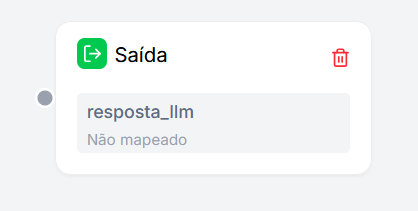
Configuration
The main function of this node is Variable Mapping. You need to tell the system: "Take the result from that LLM node and place it in this response field."
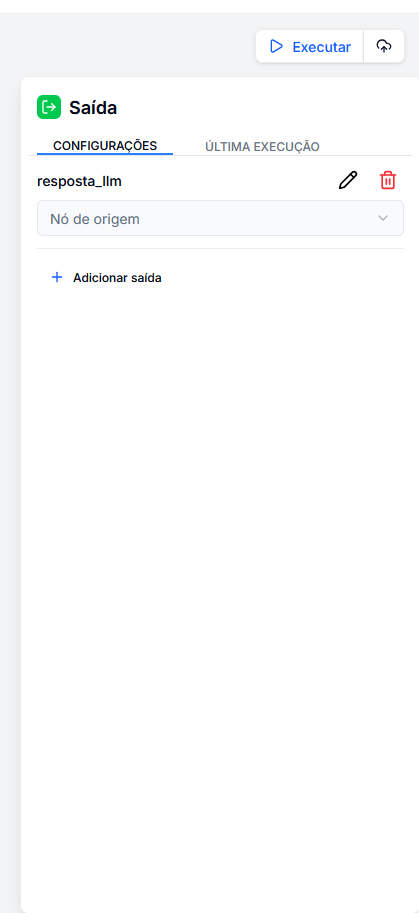
How to Configure an Output
The configuration process involves two steps for each field:
-
Define the Key Name: This is the name of the field that will be displayed in the execution output.
- Example:
final_response,ai_analysis,tokens_used. - Use the (✏️) buttons to rename and (🗑️) to delete fields.
- Example:
-
Map the Source: This is where the information will come from (dropdown "Source Node").
- When clicking the dropdown, you will see a list of all the available variables from previous nodes.
- Select the desired variable (e.g.,
LLM.completion.content) to connect the data.
Add New Output
Click the + Add output button to create new fields in your response object. This allows you to build complex and structured responses.