Vector Database Node (Search)
The Vector Database Node is the tool that allows you to connect your flow to Knowledge Collections. It performs semantic searches (based on meaning, not just keywords) to find the most relevant pieces of information for the user's question.
This node enables RAG (Retrieval-Augmented Generation), allowing the AI to respond based on private documents from your company.
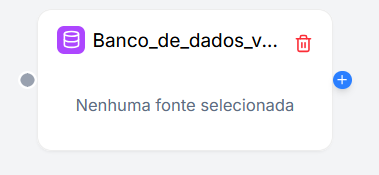
Configuration
The configuration defines the scope and precision of the search.
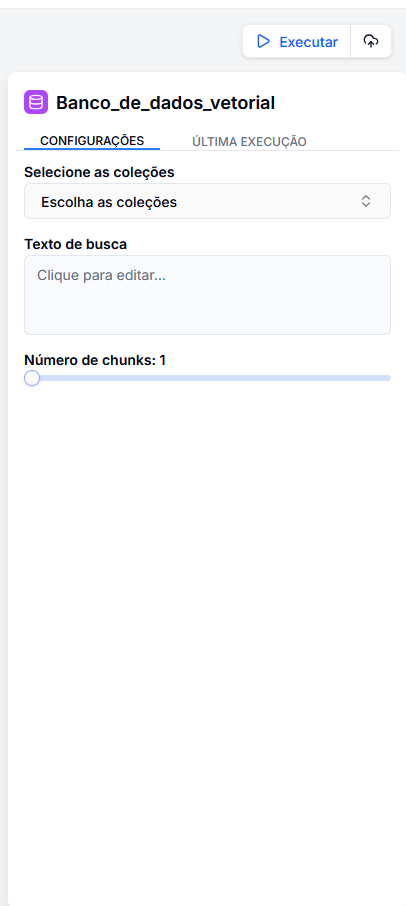
1. Select Collections
Define where the system should search.
- You can select one or multiple collections (e.g., "HR Manual", "Product Catalog").
- The system will only search within the indexed documents in these selected collections.
2. Search Text
Define what the system should search for.
- Generally, you will use the question asked by the user.
- Use the variable menu (key
/) to select the input:{{ entrada.pergunta_usuario }}. - Tip: You can enrich the search. Instead of just passing the question, you can create a composite query:
{{ entrada.pergunta }} in the context of {{ entrada.categoria }}.
3. Number of Chunks (Results)
Define how much content to return.
- Slider: Determines how many text segments (chunks) will be retrieved.
- Recommendation:
- 3-5 chunks: Ideal for objective questions (balances context and cost).
- 5-10 chunks: Ideal for broad summaries or complex inquiries (provides more context but consumes more tokens from the LLM).
What does this node return?
This node does not generate a final text response; it generates a list of knowledge fragments.
chunks: A list containing the found texts, similarity score, and metadata.
Example Output (JSON)
[
  {
    "text": "The refund policy allows returns within 30 days...",
    "score": 0.89,
    "source": "sales_policy.pdf"
  },
  {
    "text": "To initiate a return, please access the portal...",
    "score": 0.85,
    "source": "faq.pdf"
  }
]