MCP Servers
The MCP Servers (Model Context Protocol) are integrations that extend the capabilities of AI assistants, allowing them to perform external actions, access APIs, interact with third-party services, and execute automations.
Overview
MCP Servers allow you to:
- Extend functionalities: Add capabilities to assistants through external tools
- Integrate services: Connect assistants to APIs and third-party services
- Automate tasks: Enable assistants to execute actions in external systems
- Access external data: Connect assistants to real-time data sources and services
What are MCP Servers?
MCP Servers are implementations of the Model Context Protocol that provide tools that can be utilized by AI assistants. Each MCP server offers a specific set of tools that expand the assistant's capabilities.
Examples of MCP Servers
- Brave Search: Allows assistants to search the web
- GitHub: Enables assistants to interact with Git repositories
- Playwright: Allows assistants to control web browsers
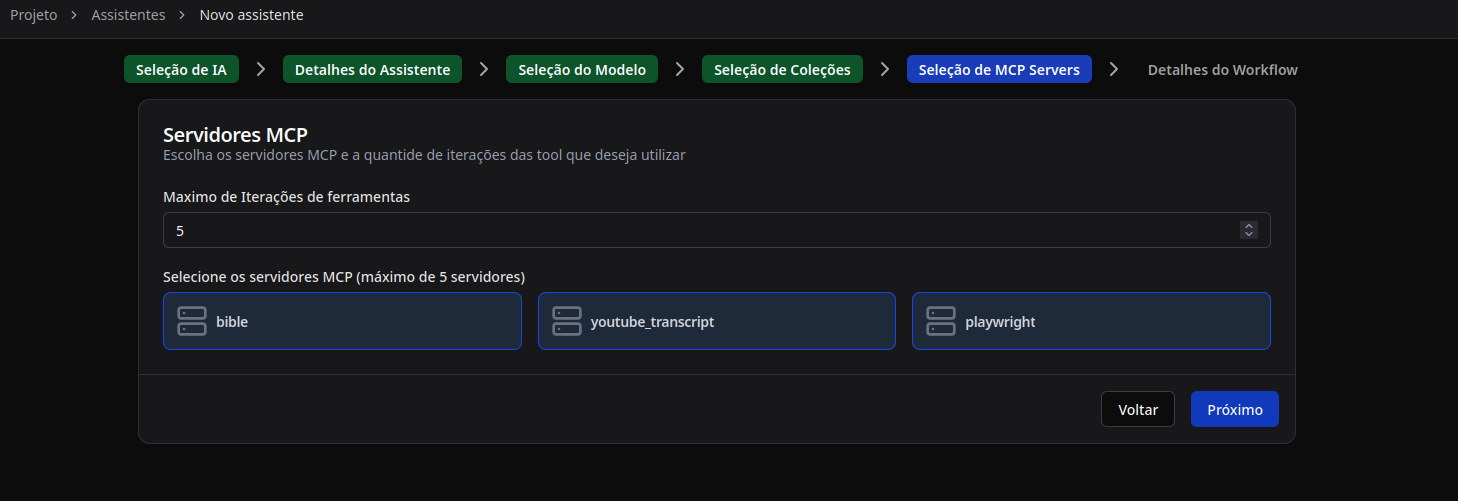
- Bible: Provides access to biblical verses
- YouTube Transcript: Extracts transcripts from YouTube videos
Accessing MCP Servers
To access the MCP Servers:
- Navigate to the Projects section in the sidebar menu
- Select the desired project
- Click on MCP Servers in the project's sidebar menu
Sources of MCP Servers
The Aumo platform allows you to install MCP servers from various sources:
Installed Servers
View and manage all MCP servers that have already been installed in the project.
Docker Hub
Search for and install available MCP servers from Docker Hub. Hundreds of ready-to-use MCP servers are available.
GitHub
Search for and install MCP servers directly from GitHub repositories, allowing access to customized and community servers.
Main Features
- Install servers: Add new MCP servers to the project
- Manage servers: View, configure, and manage installed servers
- Configure variables: Set environment variables required for each server
- View tools: Explore the tools available in each server
- Use in assistants: Select MCP servers when creating or editing assistants
Next Steps
- Install an MCP Server: Learn how to install MCP servers from Docker Hub or GitHub
- Manage MCP Servers: Find out how to manage installed servers
- Use MCP in Assistants: Learn how to integrate MCP servers into your assistants